


Iceberg
What is an Iceberg Order?
Iceberg orders are large single orders that have been divided into smaller limit orders, for the purpose of hiding the actual order amount. The term "iceberg" comes from the fact that the visible lots are just the [tip of the iceberg] given the greater number of limit orders ready to be placed. Iceberg orders are usually placed to avoid disrupting trading markets with a single, large order and increasing costs.
Iceberg Order User Guide
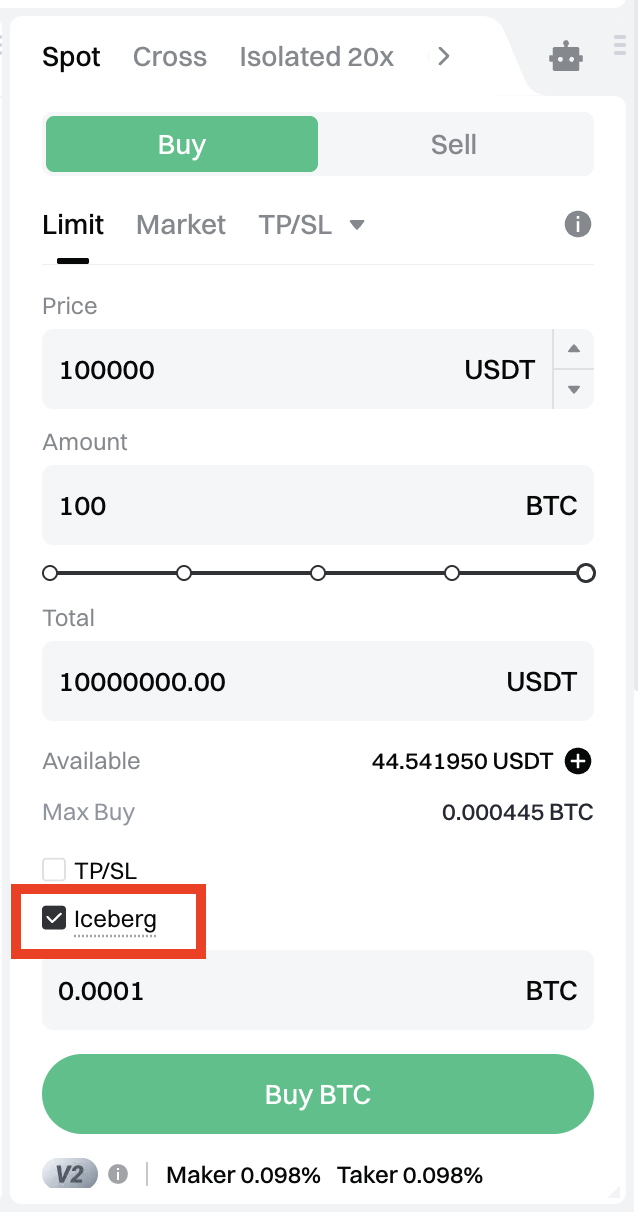
If you want to buy 100 BTC when its price falls to 100,000 USDT and you don't want to disrupt the trading market and increase costs with such a single and large order, you can check the [Iceberg] box in placing a limit order and you can customize the visible amount, that is the displayed amount of buy orders on the order book. Then you can click [Buy BTC] to place the orders. All orders will be gradually executed after the first order is filled.
How to View Order Details of an Iceberg Order?
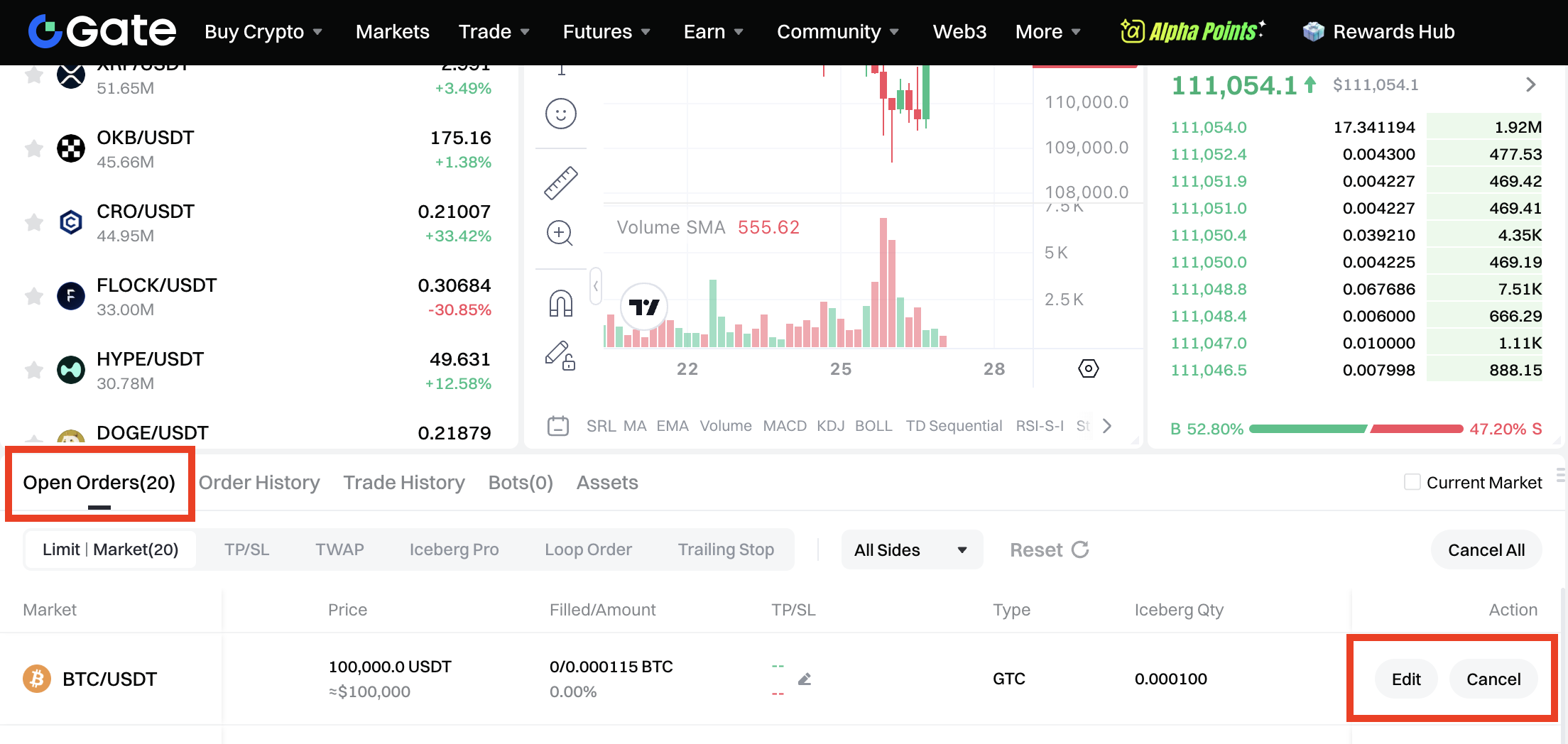
Click [Open Orders] - [Limit], you can see the details of the ongoing iceberg orders.
IOC (Immediate Or Cancel)
What is IOC?
Enabling IOC when placing an order means that any portion that is not immediately filled will be cancelled.
For example, you want to sell half of your BTC at the price of 20,000 USDT, but only 1/4 of the orders are immediately filled. In this case, if you have enabled IOC when placing the order, the portion that is not immediately filled will be cancelled.
When an investor place a large order and do not want to encounter large price differences, he or she can enable IOC when placing the order. Moreover, when an investor have placed orders of multiple trading pairs, enabling IOC can also avoid forgetting to cancel orders. Enabling IOC when placing a limit order can avoid orders being filled at an unsatisfying price when the market is volatile.
IOC User Guide
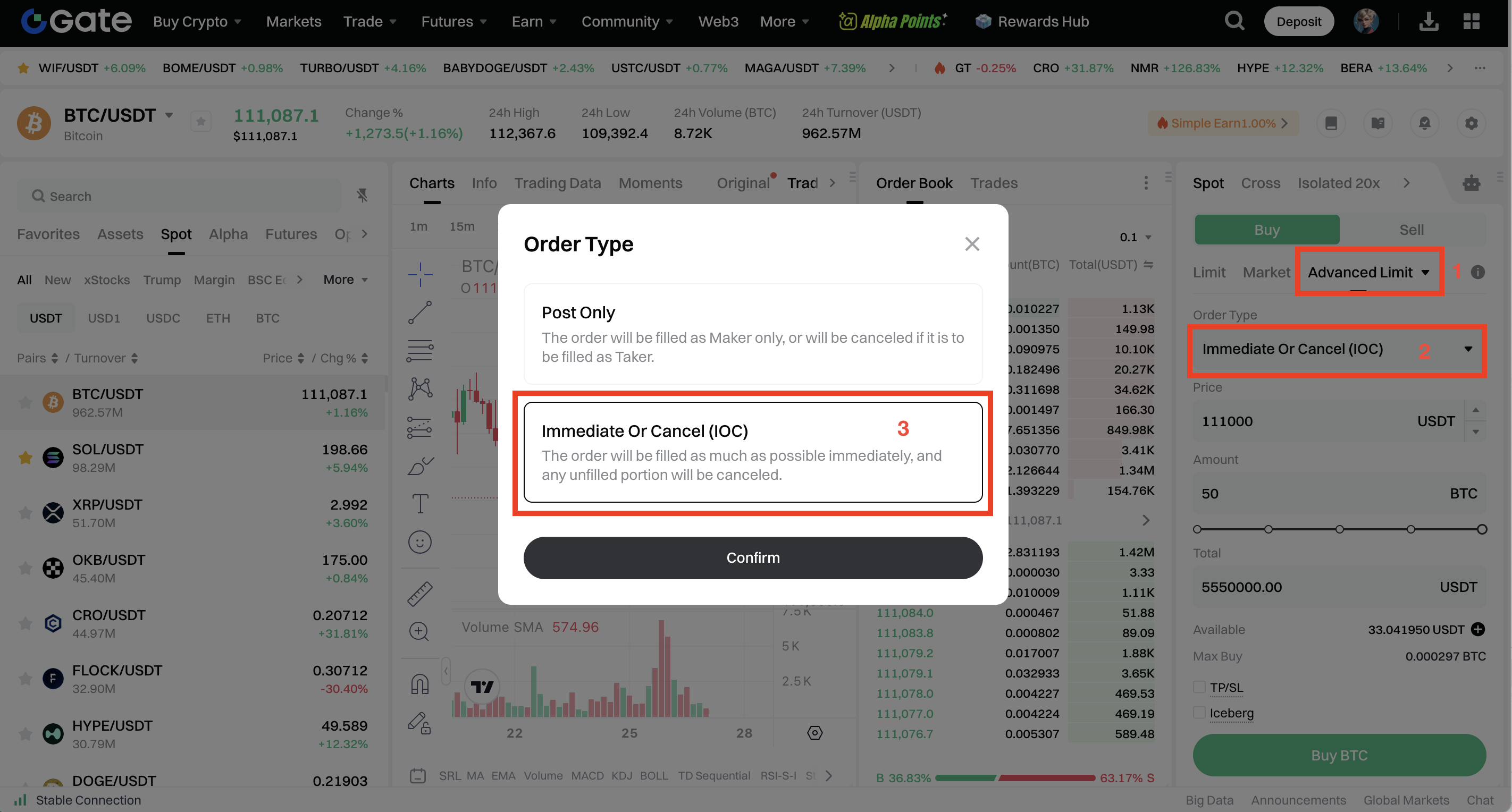
Suppose you want to buy 50 BTC when the BTC price reaches 111,000 USDT. Simply select [Advanced Limit] in the order placement area, choose [Immediate Or Cancel (IOC)] under Order Type, and confirm to use the IOC function.
How to View the Details of an IOC Order
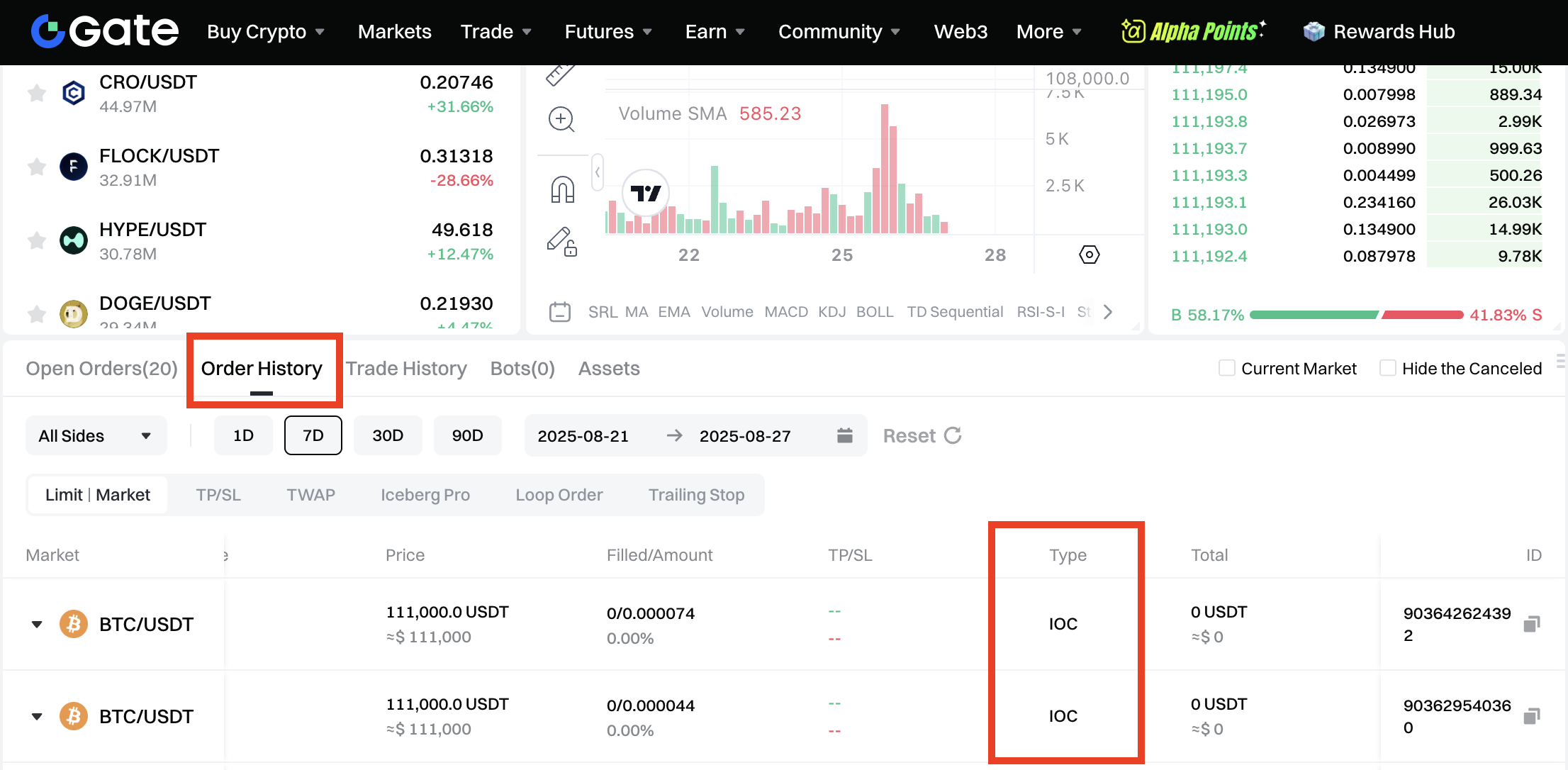
Click [Order History] to check the details of an IOC Order as any portion of an IOC order that is not immediately filled will be cancelled. It could also be possible that the IOC order is fully cancelled as there's no matched price on the order book.
The final interpretation of this product is reserved by Gate.
The content provided herein is for reference and educational purposes only and does not constitute any financial, investment, trading, or legal advice, nor does it constitute an offer or solicitation to buy or sell any digital assets. Gate makes no express or implied representations or warranties regarding the accuracy, completeness, or timeliness of the information contained herein. Product features, interfaces, rules, and fee structures may be updated or adjusted at any time. Please refer to the latest announcements and the actual information displayed on the Gate platform for the most accurate details.
Digital asset investments involve significant risk, and prices may fluctuate substantially. You may lose the entire amount of your investment. Please make decisions cautiously based on your own financial situation and risk tolerance after fully understanding the associated risks. If necessary, you are advised to consult an independent professional financial or legal advisor.
For more information about potential risks, please refer to Gate's Risk Disclosure and User Agreement.
