


Sobre a funcionalidade de conversão de saldo pequeno:
-
Apenas pequenos ativos avaliados em menos de 0,001 BTC e mais de 0,00000001 GT são elegíveis para conversão. As conversões podem ser efetuadas uma vez de 6 em 6 horas, com um máximo de 500 GT por dia. Os tokens excluídos não são suportados.
-
Aplica-se uma taxa de conversão de 5%.
-
Link Web para a conversão de pequenos saldos: https://www.gate.com/myaccount/small_exchange
Guia passo-a-passo para a conversão de pequenos saldos
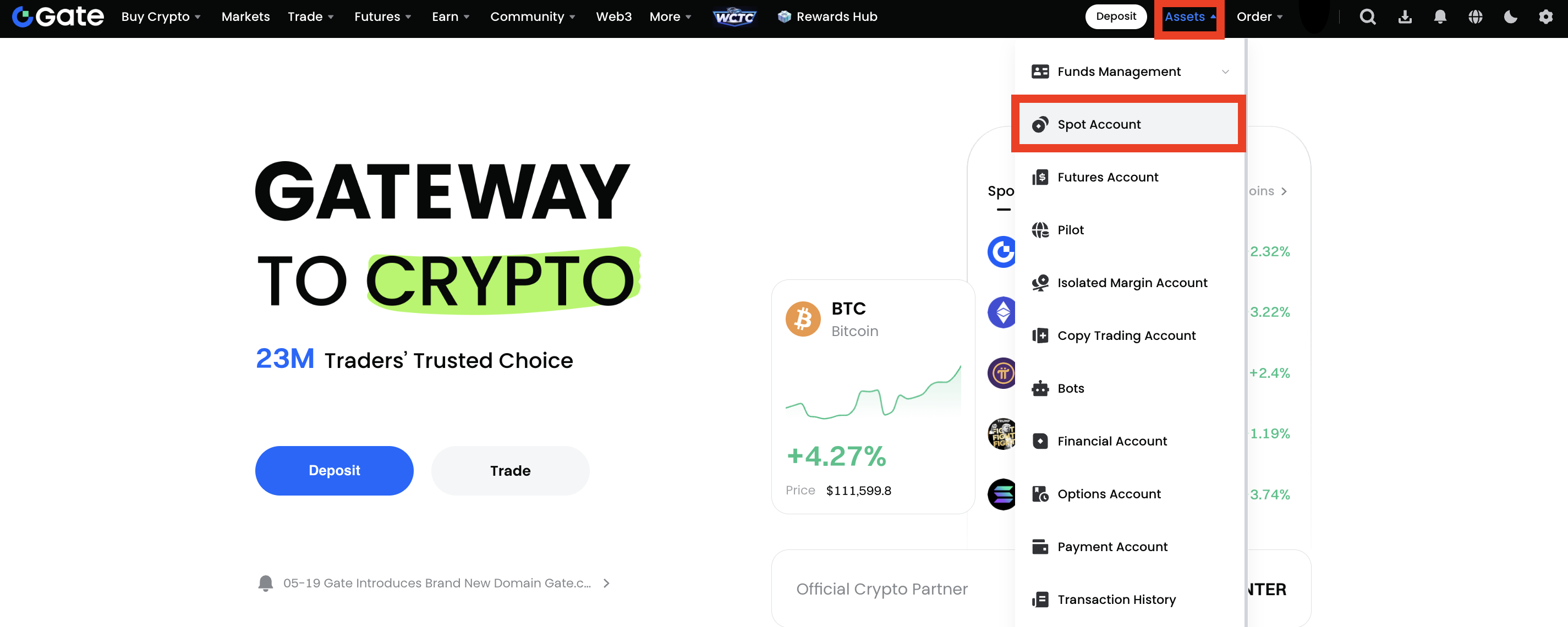
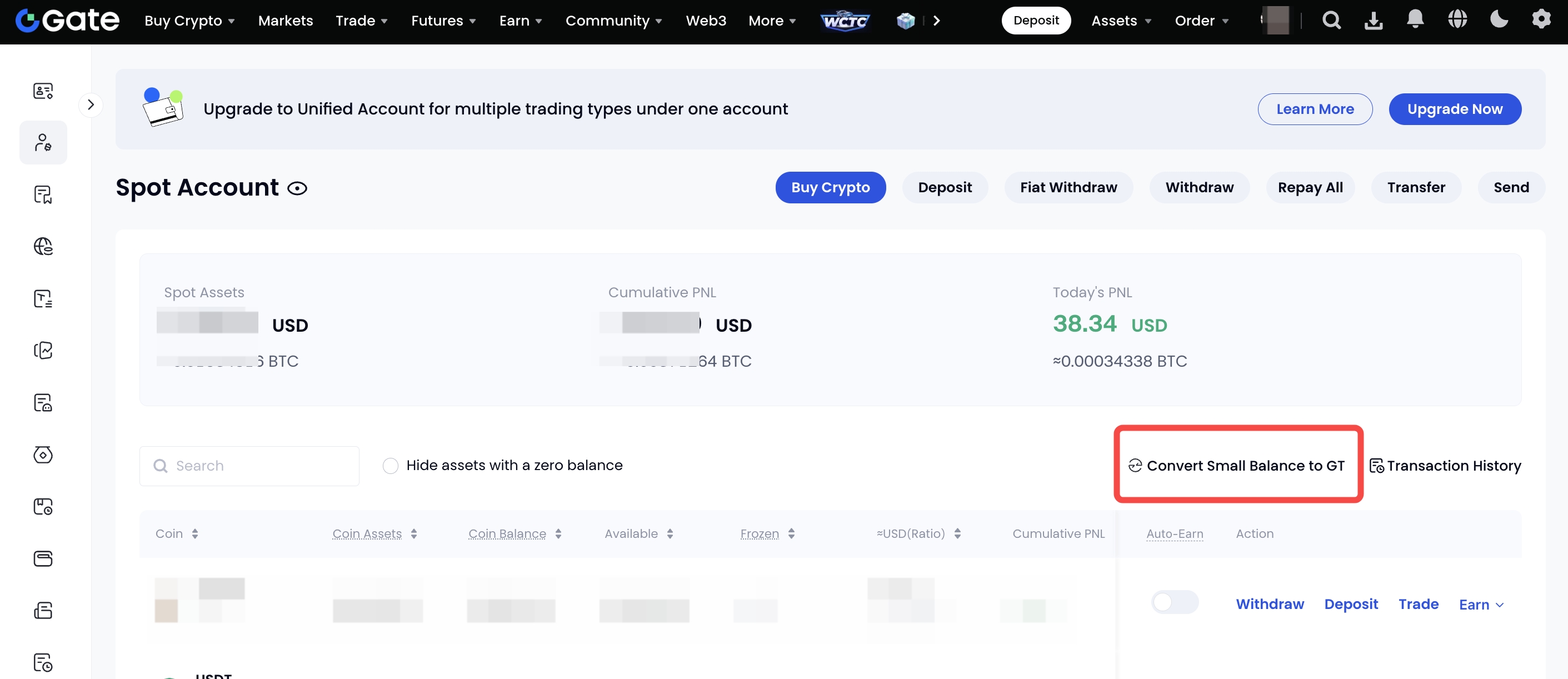
Passo 1: Inicie sessão na sua conta Gate. Clique em "Ativos"-"À vista" para aceder à sua conta clássica. Em seguida, clique na ligação "Converter saldo pequeno para GT".
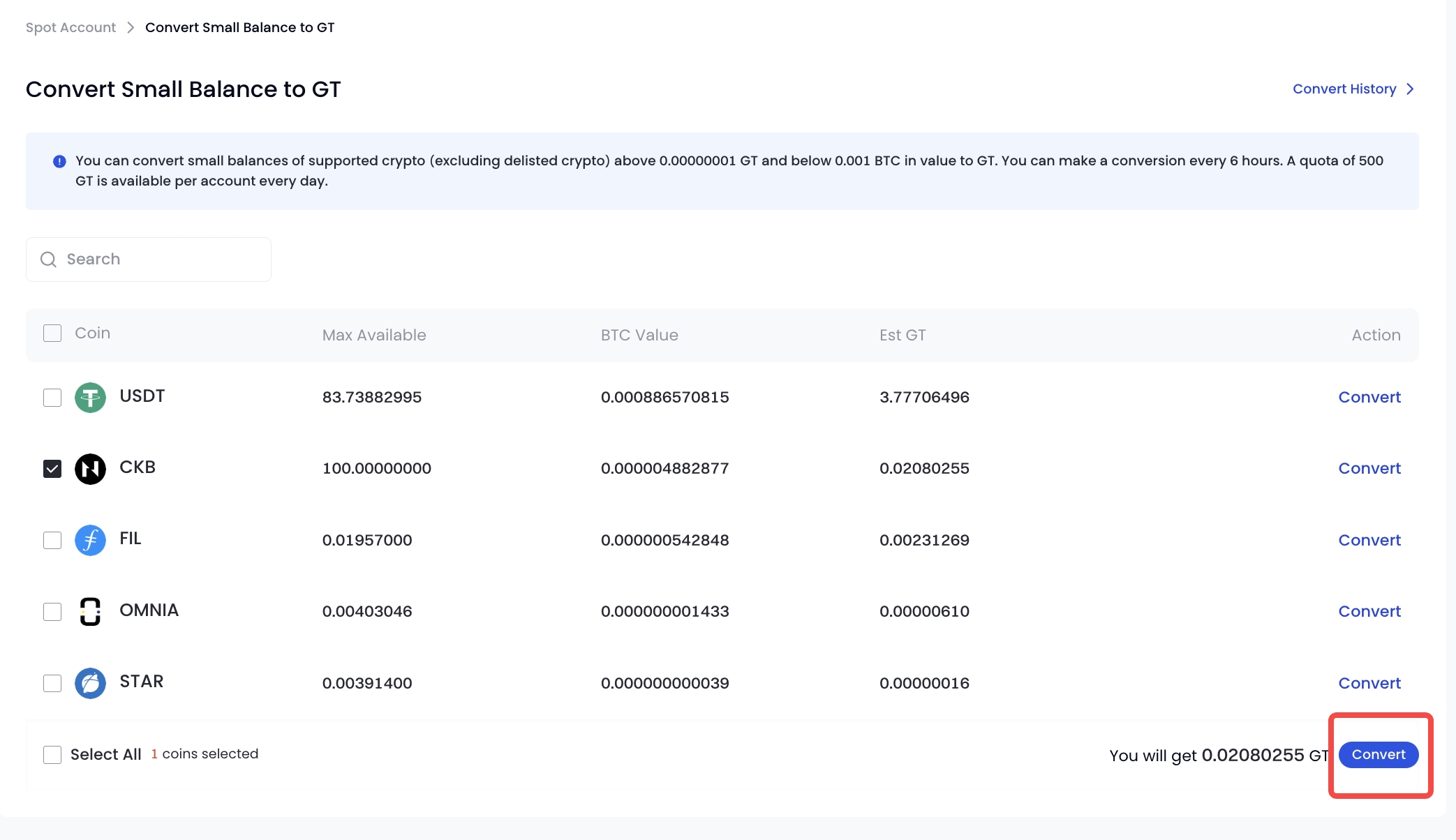
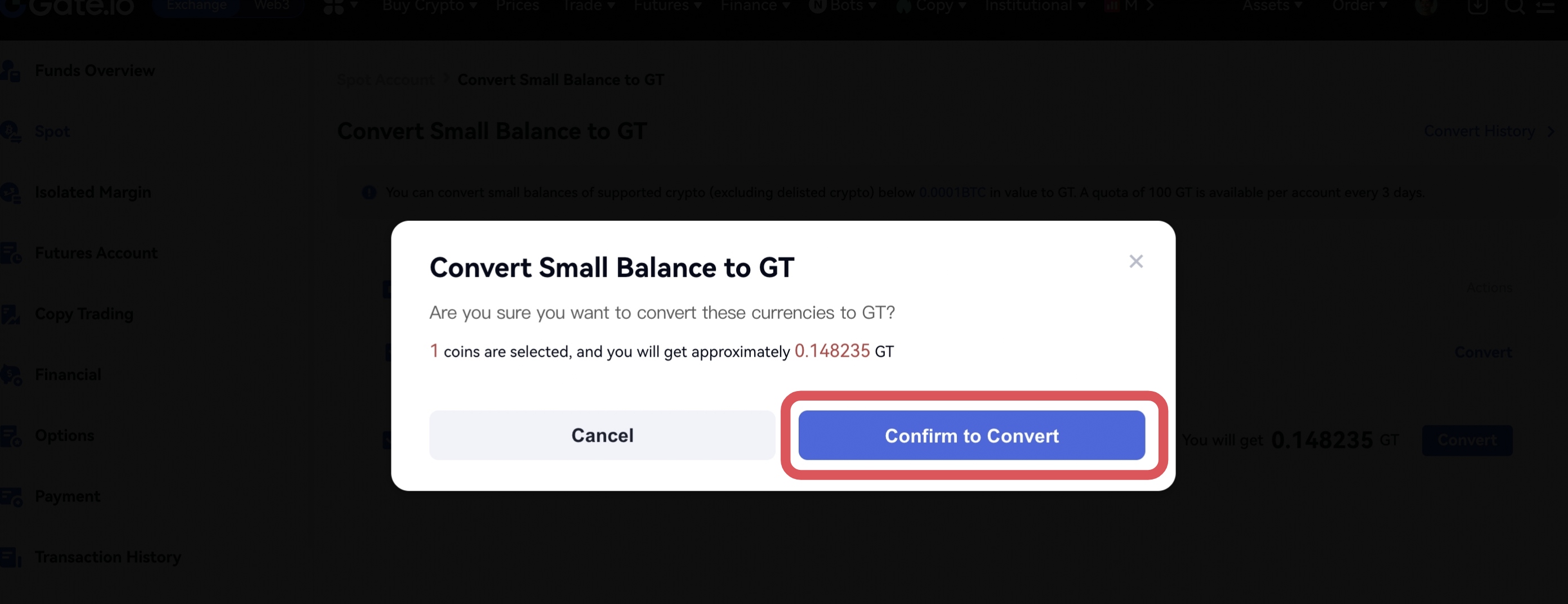
Passo 2: Selecione a moeda que pretende trocar e prima "Converter". Clique em "Confirmar para converter" na janela pop-up (como mostrado na captura de ecrã abaixo).
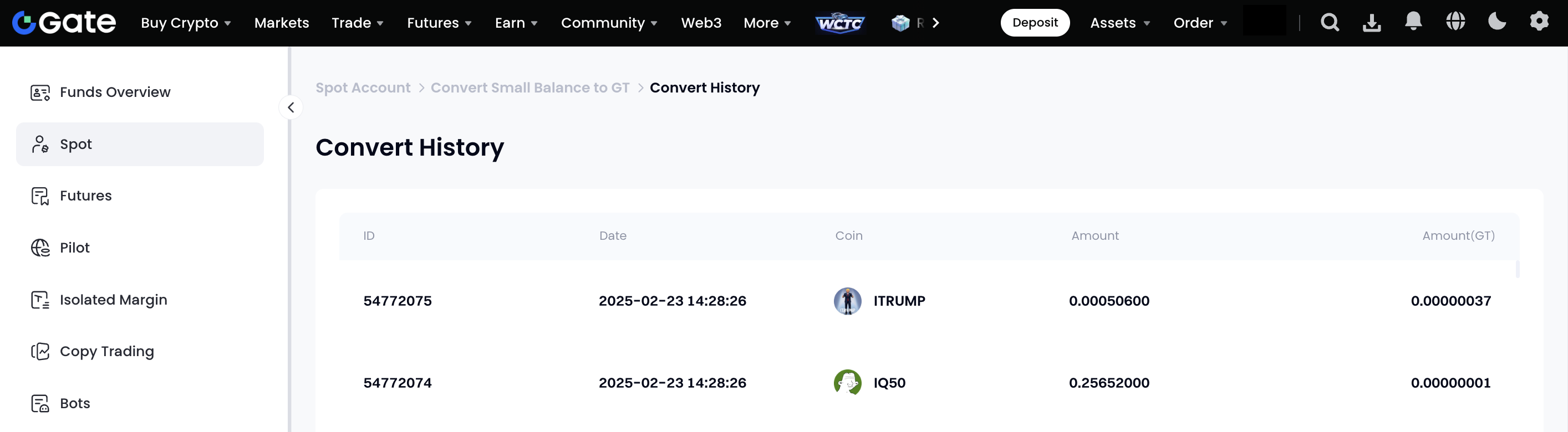
Passo 3: Quando a troca estiver concluída, poderá ver o histórico da troca clicando em "Histórico de conversão" no canto superior direito.
O conteúdo aqui disponibilizado destina-se apenas a fins de referência e educativos, não constituindo qualquer aconselhamento financeiro, de investimento, de negociação ou jurídico, nem representa uma oferta ou solicitação para comprar ou vender quaisquer ativos digitais. A Gate não assume quaisquer declarações ou garantias, expressas ou implícitas, quanto à exatidão, integridade ou atualidade das informações aqui contidas. As funcionalidades dos produtos, interfaces, regras e estruturas de comissões podem ser atualizadas ou ajustadas a qualquer momento. Consulte os anúncios mais recentes e a informação efetivamente apresentada na plataforma Gate para obter os dados mais precisos.
Os investimentos em ativos digitais envolvem riscos significativos, podendo os preços variar substancialmente. Existe a possibilidade de perder a totalidade do montante investido. Tome decisões de forma cautelosa, tendo em conta a sua situação financeira e tolerância ao risco, após compreender plenamente os riscos associados. Se necessário, recomenda-se consultar um consultor financeiro ou jurídico independente.
Para mais informações sobre potenciais riscos, consulte a Divulgação de Riscos e o Acordo de Utilizador da Gate.
