

Trade
Basic
Futures
Futures
Hundreds of contracts settled in USDT or BTC
Options
HOT
Trade European-style vanilla options
Unified Account
Maximize your capital efficiency
Demo Trading
Futures Kickoff
Get prepared for your futures trading
Futures Events
Participate in events to win generous rewards
Demo Trading
Use virtual funds to experience risk-free trading
Earn
Launch
CandyDrop
Collect candies to earn airdrops
Launchpool
Quick staking, earn potential new tokens
HODLer Airdrop
Hold GT and get massive airdrops for free
Launchpad
Be early to the next big token project
Alpha Points
NEW
Trade on-chain assets and enjoy airdrop rewards!
Futures Points
NEW
Earn futures points and claim airdrop rewards
Investment
Simple Earn
Earn interests with idle tokens
Auto-Invest
Auto-invest on a regular basis
Dual Investment
Buy low and sell high to take profits from price fluctuations
Soft Staking
Earn rewards with flexible staking
Crypto Loan
0 Fees
Pledge one crypto to borrow another
Lending Center
One-stop lending hub
VIP Wealth Hub
Customized wealth management empowers your assets growth
Private Wealth Management
Customized asset management to grow your digital assets
Quant Fund
Top asset management team helps you profit without hassle
Staking
Stake cryptos to earn in PoS products
Smart Leverage
NEW
No forced liquidation before maturity, worry-free leveraged gains
GUSD Minting
Use USDT/USDC to mint GUSD for treasury-level yields

More


Trending Topics
View More17.35K Popularity
33.9K Popularity
16K Popularity
5.79K Popularity
2.91K Popularity



Pin
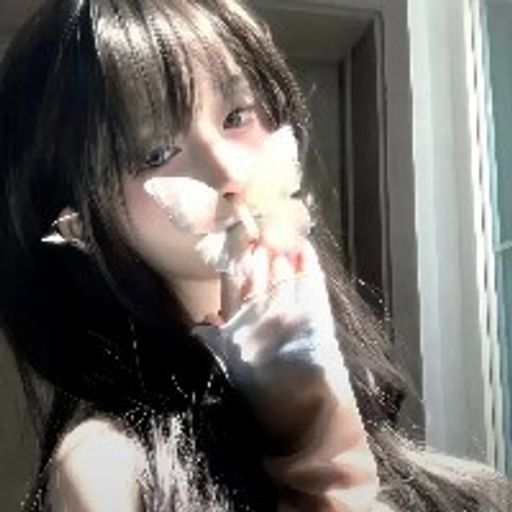
Use the free AI filter to turn selfies into anime versions: how technology is redefining creative portrait transformation
In the world of digital transformations, one of the most interesting inventions is the ability to turn a regular photo into a character from your favorite anime. The AI-anime filter is a revolutionary tool that uses machine learning to analyze your portrait and apply characteristic features of anime art — from large eyes to colorful hair and expressive facial features.
How the photo transformation technology works in practice
A process that once required a skilled artist is now accessible with just a few clicks. The AI system recognizes key elements of your image — face shape, features, lighting — and applies artistic transformations in anime style.
The main algorithm operates in four stages:
Why this approach is gaining popularity
Free access to AI-anime filters is changing the landscape of digital art. Unlike traditional drawing, you don’t need professional skills to create an appealing result.
Creative self-expression: the ability to experiment with different looks — from soft pastel styles to dark cyberpunk aesthetics — allows everyone to find their unique anime version.
Social appeal: transformed portraits quickly gain popularity on social media, as they combine recognizability of the original with artistic flair of the final result.
Accessibility: free platforms for converting photos into anime democratize access to this technology.
Main anime styles for experimentation
A variety of filters allow you to choose an aesthetic that suits your taste:
Disney-inspired transformation gives portraits brightness, soft features, and a fairy-tale charm. This direction is perfect for those who want to look like a character from a classic cartoon.
Ghibli aesthetic creates a dreamy, enchanting atmosphere with characteristic soft lines and harmonious colors typical of Studio Ghibli works.
Cyberpunk variant adds neon highlights, sharp contrasts, and futuristic effects, ideal for fans of high-tech aesthetics.
Kawaii style emphasizes cuteness — big eyes, pink cheeks, pastel tones create a charming, friendly look.
Fantasy transformation introduces mystical elements — glowing auras, hints of magical powers, an atmosphere of magic and wonder.
Steps to create your anime version
Trying it out is simple:
First, choose a high-quality photo — a clear, well-lit portrait yields the best results. Upload the image to a platform offering a free anime filter. Then browse available styles and select the one you like most.
Many platforms allow you to customize parameters — adjust effect intensity, change colors, refine facial details. This step helps personalize the result. When you’re satisfied with the transformation, save the file and share it as you wish.
The future of digital art
AI-anime filters demonstrate how artificial intelligence expands the boundaries of creative self-expression. The technology of transforming photos into anime not only entertains but also makes professional-level image processing accessible to everyone.
Free tools for converting portraits into anime versions show that the future of creativity lies in the interaction between humans and AI. You no longer need to wait for an artist or spend money — just select your selfie, apply a free filter, and see yourself through the lens of your favorite anime style.
Try this tool today and discover a new side of digital self-expression.